

SpringBoot热部署
-
添加pom依赖
<dependency> <groupId>org.springframework.boot</groupId> <artifactId>spring-boot-devtools</artifactId> </dependency> -
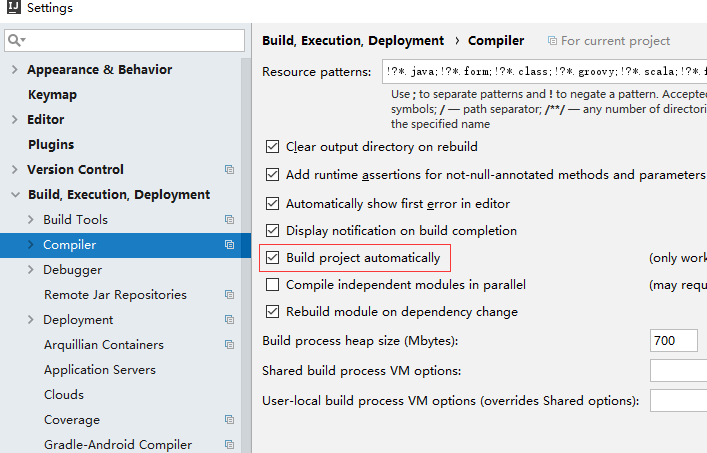
打开idea ,File->Settings-> Build-Execution-Deployment -> Compiler 勾选 Make Project Automatically
-
按Shift+Ctrl+A,输入“registry”找到“Registry...”
在出现的新窗口中找到compiler.automake.allow.when.app.running并勾选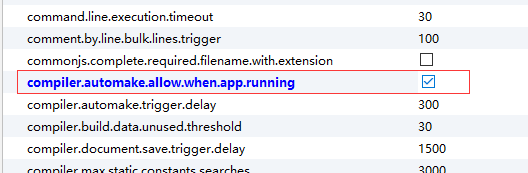
-
重启idea